 atvTools
Sideload apps
Install APK, XAPK, APKM and APKS files from your phone straight onto the TV.
Install apps the store doesn't offer, send files and photos to the TV, see its screen on your phone, type with your phone's keyboard and switch off what you don't need. atvTools talks to the TV over Wi‑Fi using ADB — no cables, no computer.


The TV needs to allow connections from your phone. It takes a minute in the TV's settings and never has to be repeated.
Watch a video guide: how to enable debugging on your TVOn the TV, open About and tap Build seven times — a menu called Developer options appears.
Settings › Device Preferences › About › BuildIn that menu, switch on USB debugging or Network debugging. On some devices USB debugging alone doesn't allow connections over the network — check whether Wireless debugging is available and turn that on too.
Phone and TV on the same network: certified Android TV and Fire TV devices show up automatically. Anything else — add it by IP, e.g. 192.168.1.20:5555.
Everything below works on both platforms unless marked. The Android app gets new tools first.
Install APK, XAPK, APKM and APKS files from your phone straight onto the TV.
Open, uninstall, disable, force‑stop, clear data, grant permissions — even for pre‑installed apps.
Browse the TV's storage, send files from your phone, copy, move, rename and delete.
Full remote with D‑pad and media keys, a mouse mode that works like a real mouse, and your phone's keyboard for typing.
See the TV screen on your phone and tap to interact with it.
Capture a still or record the TV screen, then share it or save it to your photos.
For power users: run ADB shell commands on the TV to remove bloatware or change hidden settings.
Play, pause and skip what's on the TV, with track info on your phone.
CPU, RAM, storage and network at a glance. Clear all caches, sleep, reboot or power off.
Home‑screen widgets and one‑tap shortcuts for TV apps and shell commands.
Configurable gamepad layout; remap any remote button to a keycode or ADB command.
Talk into your phone for voice search on the TV, or dictate text into any field.
Material on Android, Liquid Glass on iOS 26. Pick a platform to browse.
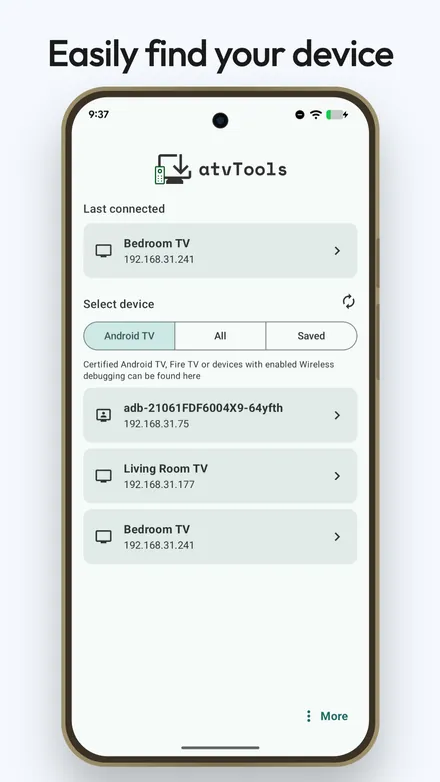
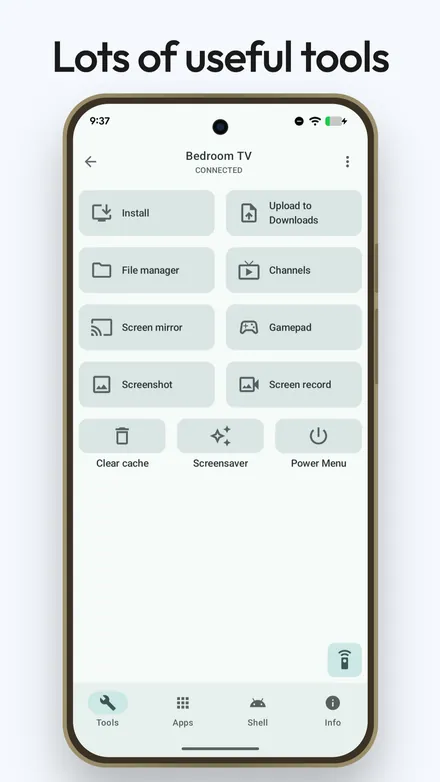
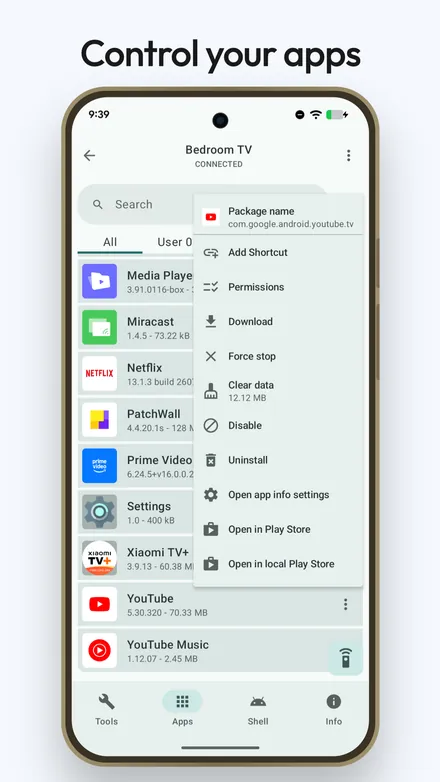
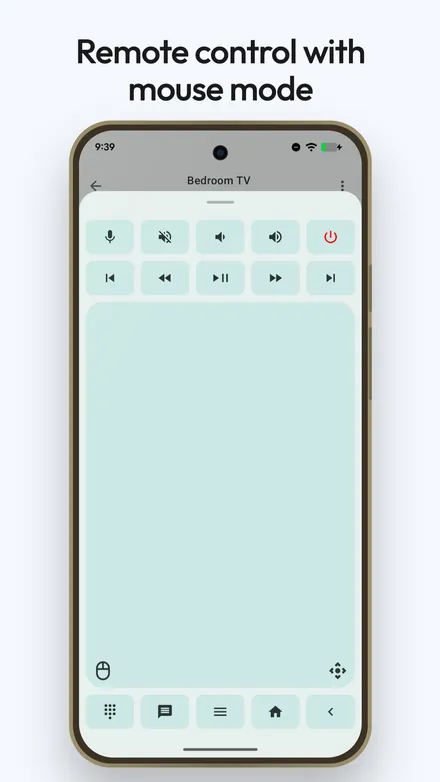
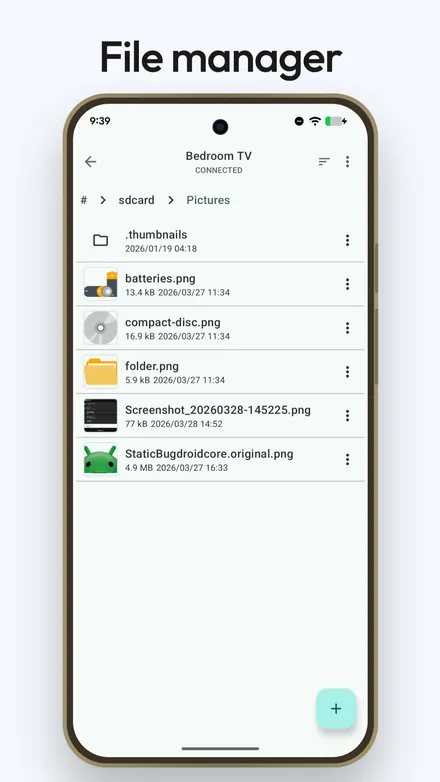
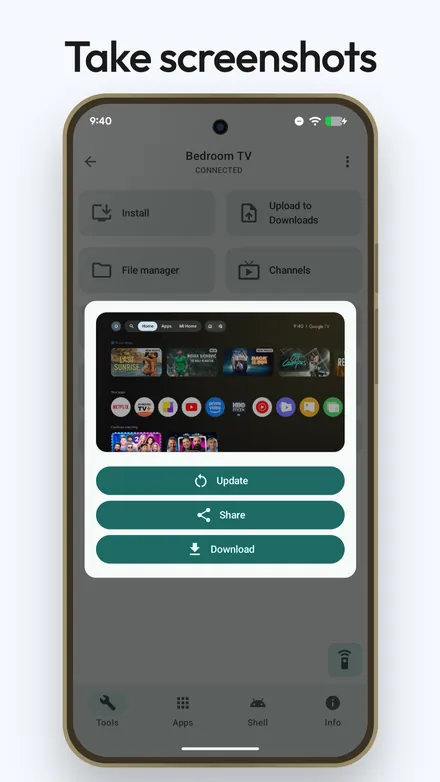
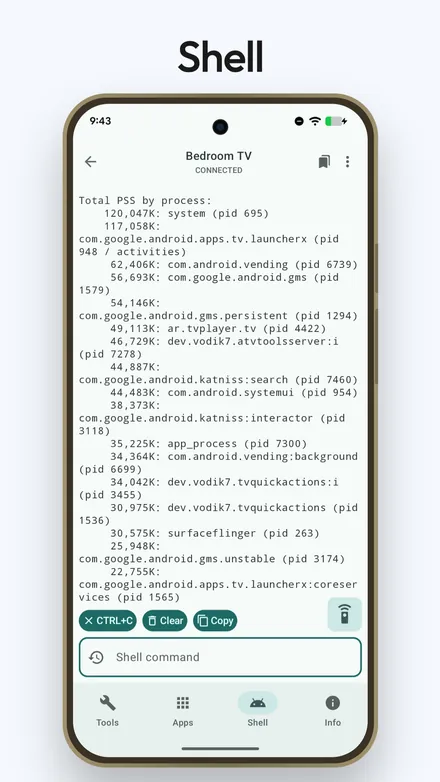
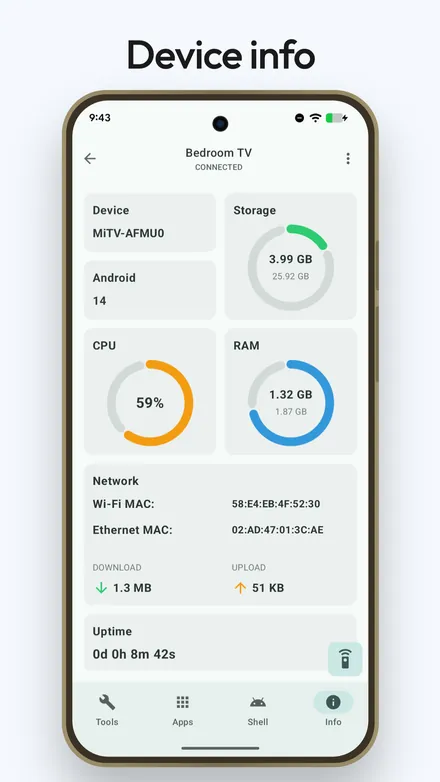
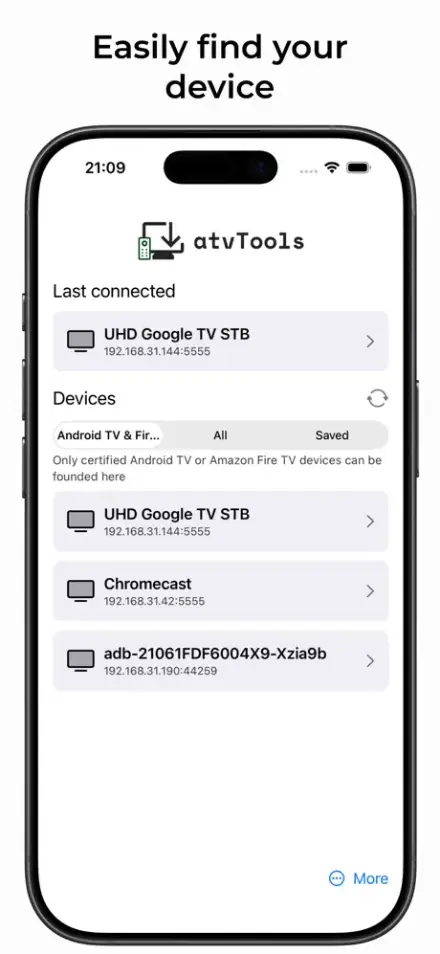
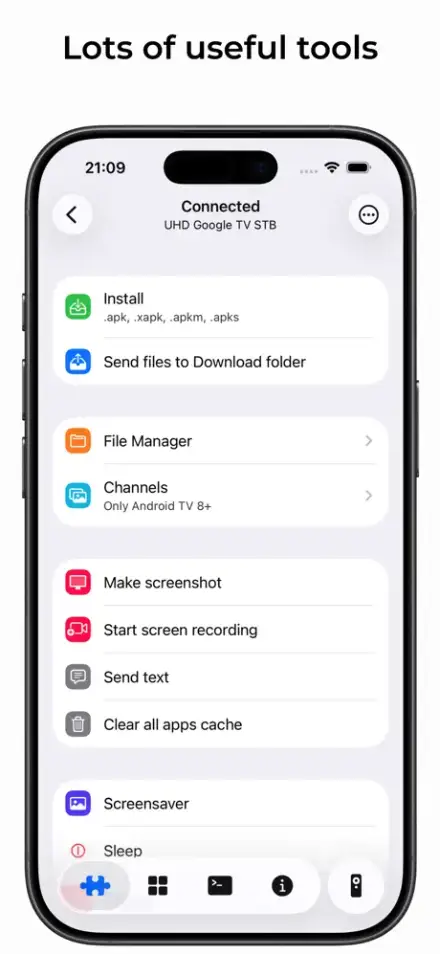
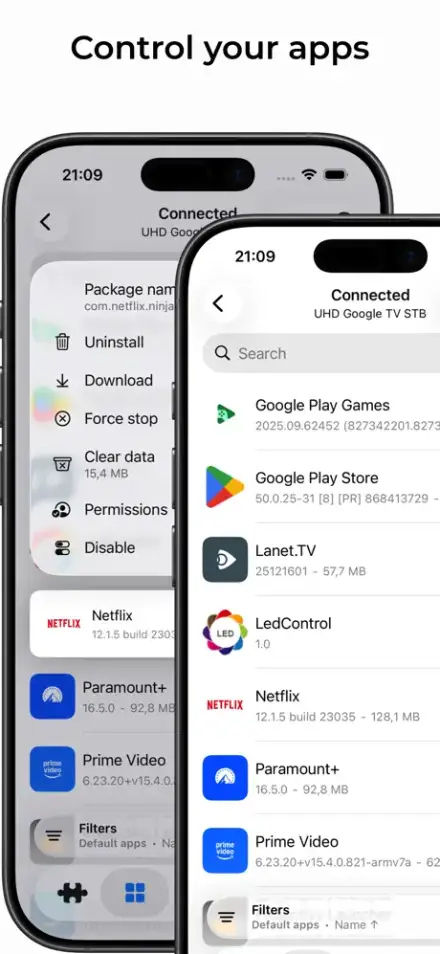
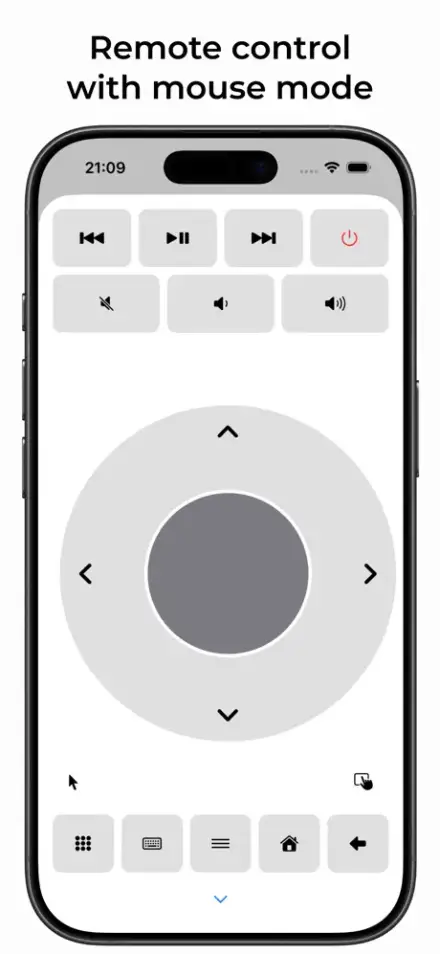
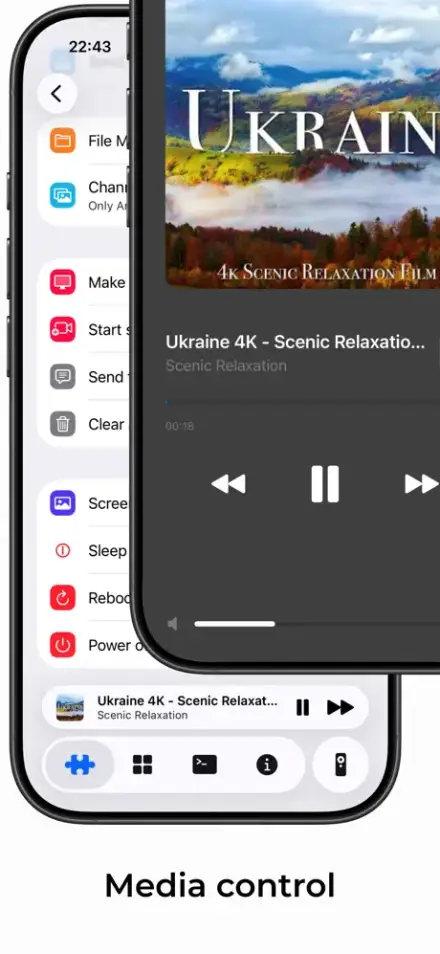
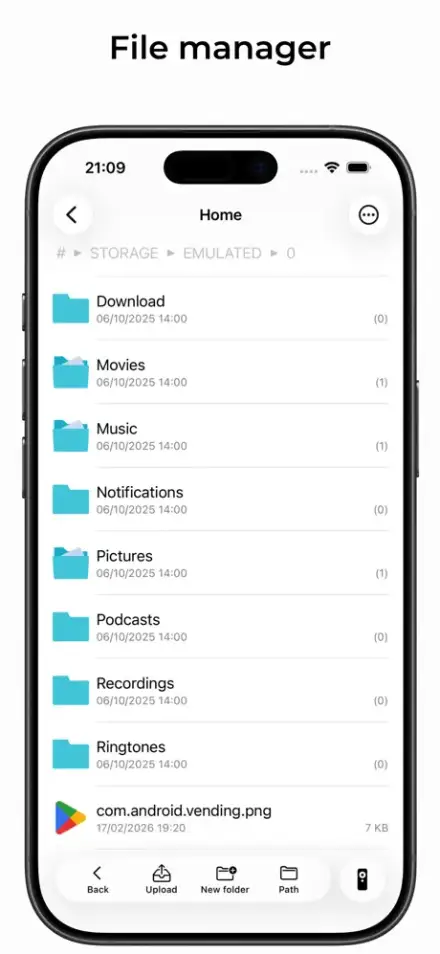
Both apps share the same core. The Android app ships new tools first; iOS catches up release by release.
| Feature | Android | iOS |
|---|---|---|
| Apps & files | ||
| Install APK | Yes | Yes |
| XAPK / APKM / APKS bundles | Yes | Yes |
| App management & permissions | Yes | Yes |
| File manager | Yes | Yes |
| Send files to the TV | Yes | Yes |
| Control | ||
| Remote control & mouse mode | Yes | Yes |
| Keyboard & text input | Yes | Yes |
| Voice input | Yes | Yes |
| Button remapping & gamepad | Yes | — |
| Floating & full‑screen remote | Yes | — |
| HDMI input selector | Yes | — |
| Media control | Yes | Yes |
| Launcher channels | Yes | Yes |
| Screen | ||
| Screen mirroring | Yes | Yes |
| Clipboard sync while mirroring | Yes | — |
| Screenshot | Yes | Yes |
| Screen recording | Yes | Yes |
| Recording with audio | Yes | Yes |
| System | ||
| Shell | Yes | Yes |
| Device info, cache clear, power | Yes | Yes |
| Widgets & shortcuts | Yes | — |
| Live Activity | — | Yes |
Runs on Android phones and tablets, and on iPhone, iPad, Mac (Apple silicon) and Apple Vision.
atvTools works with any Android TV, Google TV or Fire TV once it's set up. A few tools depend on the Android version running on the TV, not on your phone.
Anything running Android TV, Google TV or Fire OS — Chromecast with Google TV, Nvidia Shield, Fire TV Stick, Xiaomi Mi Box, onn., Sony and TCL sets, and generic Android boxes. Some functions depend on the TV's Android version and may be unavailable on older devices.
No. Your phone connects to the TV directly over Wi‑Fi using ADB, the same connection Android uses for debugging. The only one‑time step is switching on a setting in the TV's menu, which the steps above walk you through. Nothing needs to be hacked or rooted.
DRM‑protected content (Netflix, Prime Video and similar) is always blocked from capture by the operating system. Depending on the TV's firmware, unprotected video can come out black as well — it's decided by the device, not by the app. Menus, settings and regular apps mirror and record fine.
The Android app is free with ads and offers a premium unlock for advanced tools. The iOS app is a small one‑time purchase on the App Store, no subscription. Check the stores for current prices in your country.
Everything happens between your phone and your TV on your own network; nothing you transfer or type leaves it. The iOS app collects no data at all. The Android app sends anonymous crash reports through Firebase Crashlytics so bugs can be fixed. Details in the privacy policy.
Each platform has its own Telegram chat: atvTools for Android and atvTools for iOS. Or write to tvdevv@gmail.com.
Available for Android and iOS. One minute of setup on the TV — then everything is a tap away.